

A collision alert can leave a dispatcher unsure whether a driver needs help or a vehicle can continue. A connected camera provides an event clip or authorized live view for faster context, not constant surveillance.
Teams comparing top rated live streaming dash cams for fleet vehicles must assess the camera, cellular coverage, cloud service, account controls, installation and driver policy as one system.
What Live Streaming Adds to a Fleet Dash Cam
A conventional dash cam records locally. A cellular dash cam can also transmit selected footage, letting an authorized manager assess an incident without collecting the memory card.
Live video is most useful for exception handling. Depending on company policy and applicable law, managers can use it to:
- Confirm road and vehicle conditions after a crash, panic signal or unexpected stop.
- Decide whether to contact emergency services or dispatch roadside assistance.
- Reroute another vehicle when an incident blocks a lane or interrupts a delivery.
- Verify loading-zone access, severe weather or a disputed arrival and preserve the relevant clip.
A live stream may use lower quality than the locally saved file and can stop when coverage fails. Keep local recording active and treat the original file as the primary evidence.
How Video Travels from Vehicle to Fleet Manager
A live streaming request usually follows five stages:
- The camera captures video inside the vehicle.
- Its processor compresses a feed suitable for transmission.
- An LTE modem sends the data through the supported cellular network.
- A cloud service authenticates the request and relays the session.
- An authorized app or web interface displays the live view to the manager.

Any stage can add delay. GPS location also needs an active communication path for remote reporting.
Wi-Fi usually connects a nearby phone for setup or downloads. LTE provides remote access within supported coverage and an active plan. Both still require power, and parked operation normally needs a compatible hardwire setup.
Before deployment, review the FCC’s explanation of mobile coverage on the National Broadband Map. The FCC notes that reported coverage is modelled and that actual experience can vary with terrain, device performance and cell-site capacity. A route test in the real vehicles remains more useful than a coverage screenshot alone.
Events, Alerts and Remote Live View Workflows
A useful workflow begins with a configured event. The system identifies the vehicle, sends an alert and offers a clip or live view. A manager verifies the situation, records the response and escalates when needed.
Alert rules should match operational risk and assign each event to an appropriate response path:
- Review collision or strong-impact alerts immediately when they may require help or scene assessment.
- Route parking impacts to a security or vehicle-damage queue.
- Group routine harsh-braking events for scheduled coaching to reduce alert fatigue.
- Enable geofence, tamper, motion or driver-behavior triggers only when the system supports them and a response owner is defined.
During a pilot, measure event-to-alert time, time to the first usable frame, connection success and export time. These results show whether the system and dispatch team can support the workflow.
Driver Facing Cameras, Privacy and Policy
A driver-facing camera changes the privacy and labor questions because it can capture employees inside the vehicle. Before activation, the fleet should:
- Define the camera’s safety purpose and the conditions that trigger recording or live review.
- Tell drivers what is recorded and whether audio is enabled.
- Specify who can view footage and when live access is permitted.
- Set a retention period and document how files are protected and exported.
- Explain how footage may be used in coaching or discipline and how drivers can provide context.
Good governance follows data minimization and limited access. The FTC’s business security guidance recommends collecting only what is needed, keeping it only as long as necessary and restricting access on a need-to-know basis. A fleet can apply those principles through role-based accounts, unique logins, access logs, defined retention periods and a documented process for exporting evidence.
Policies must reflect applicable recording, employment and collective bargaining requirements. Apply review standards consistently, allow drivers to provide context and prohibit casual viewing. The C600 is a road-facing front-and-rear model, not a cabin camera.
Data Plans, Cloud Retention and Total Cost
Total cost includes hardware, installation, cellular data, cloud retention, licenses, support and replacement units. Confirm data and storage limits, overage rules and access after a plan expires.
| Cost area | What to verify | Why it scales |
|---|---|---|
| Hardware and accessories | Camera channels, memory card, hardwire kit, mounts and replacement stock | Each vehicle needs compatible parts and spares |
| Installation and downtime | Labor time, fuse access, cable routing and post-install testing | Mixed vehicles rarely use one identical installation |
| Cellular service | Included data, live-view limits, roaming, throttling and overage policy | Live viewing can create uneven usage across vehicles |
| Cloud and software | Retention window, user seats, export limits, alerts and account controls | Licensing and storage may be charged per vehicle or account |
| Operations and support | Training, policy administration, firmware, health checks and replacements | More cameras create more exceptions and access requests |
Compare one-year and three-year costs using expected live sessions, uploads, retention, labor, vehicle turnover and support. Check whether data is pooled and whether local footage remains accessible without a subscription.
Deployment Checklist for Mixed Vehicle Fleets
Windshield angle, fuse layout, rear-window movement and electrical behavior vary by vehicle. Pilot representative sedans, vans, pickups and specialty vehicles before a fleet-wide order.
- Define the incident types the system must address and the response owner for each one.
- Confirm front, rear or cabin coverage requirements without buying channels that have no approved purpose.
- Verify the supported carrier region, expected routes and indoor or underground parking conditions.
- Check continuous-power requirements, low-voltage protection and installation compatibility for each vehicle class.
- Test local recording during signal loss and confirm how queued clips upload after service returns.
- Measure daytime, nighttime and bad-weather image quality using original files, not app previews alone.
- Create account roles, retention rules, driver notices, escalation steps and an offboarding process.
- Track camera health, card condition, firmware status and mounting alignment after deployment.
Test normal routes and weak-signal locations. Set acceptance thresholds for connection success, alert delay, upload time and monthly data use before expanding deployment.
Evaluate the GKU C600 for Fleet Use
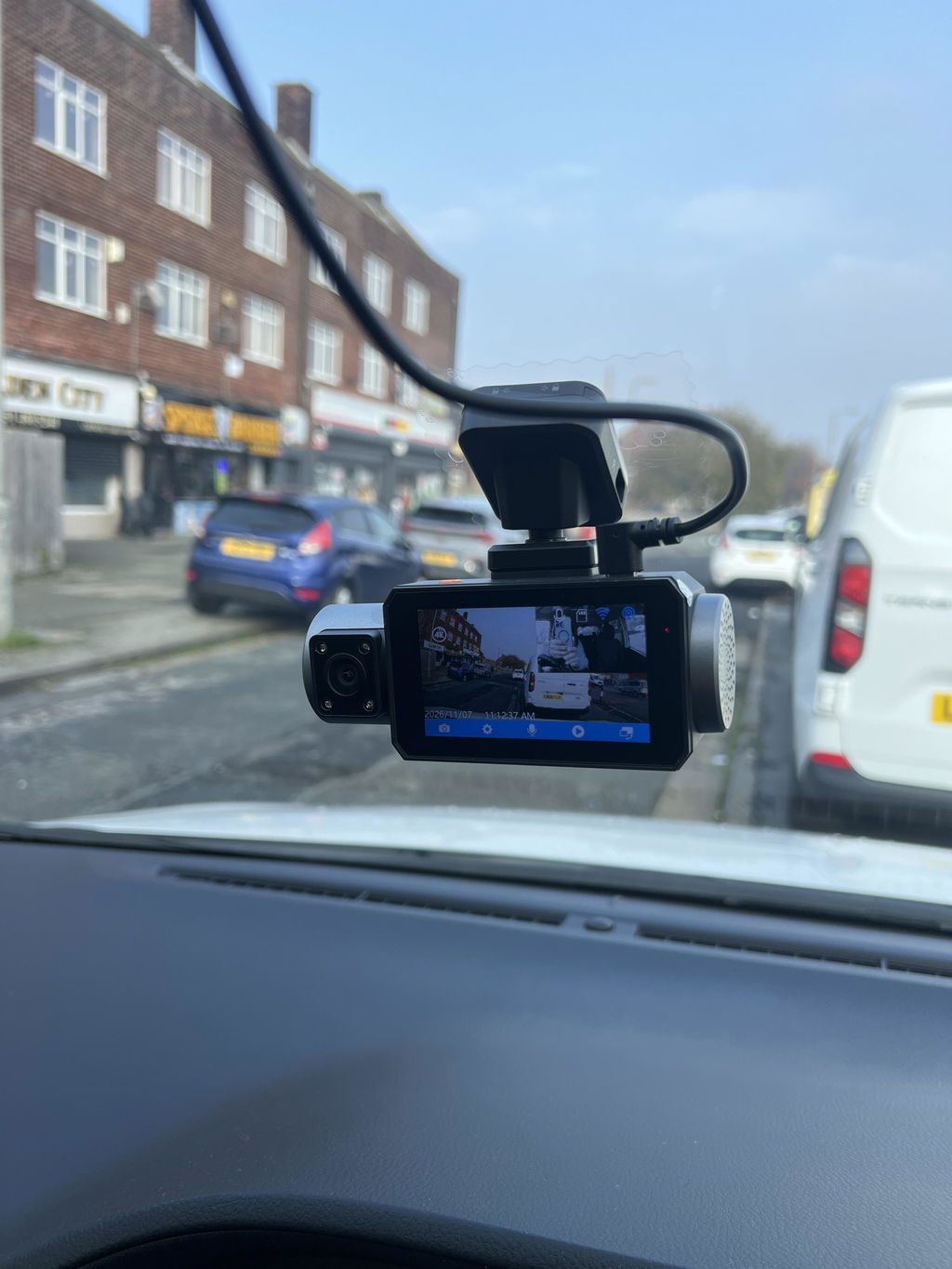
The GKU C600 4G LTE Dash Cam combines 2.5K front and 1080p rear recording with built-in GPS, Wi-Fi 6, optional 4G LTE remote access and support for microSD cards up to 512GB. GKU states that the GKU LINK app can provide remote live view, playback and alerts when the optional 4G service is active. The package includes a 64GB card, rear camera and hardwire kit. The listed 4G service is currently limited to the United States.
The C600 may suit a small fleet or controlled pilot needing vehicle-level front-and-rear footage and remote checks. Public information does not establish a centralized fleet dashboard, bulk provisioning, APIs, fleet-wide health reports, simultaneous manager access or a cabin channel. Confirm required fleet features with GKU in writing.

Strengthen Fleet Oversight With Live Video
Choose a live view dash cam by testing incident response, privacy rules, cellular performance and total cost. The result should work for dispatchers and remain clear to drivers.
If front-and-rear evidence with optional U.S. 4G access fits your pilot, review the C600’s current specifications and service terms before installation. Run it in representative vehicles and routes, document the results, and expand only after the camera, network and policy all meet your acceptance criteria.
FAQs
Q1: How quickly can a fleet manager open live video after an alert?
There is no universal time. Timestamp the event, alert and first usable frame during a pilot, then report the median, slowest success and failed-session rate.
Q2: What network conditions interrupt vehicle video streaming?
Weak signal, terrain, tunnels, concrete structures, cell handoffs and congestion can interrupt streaming. Verify local recording during outages and whether requested clips upload after service returns.
Q3: Which events should trigger a fleet notification instead of continuous viewing?
Prioritize events requiring a timely decision, such as a serious impact, driver emergency or suspected tampering. Group lower-risk events for scheduled review and enable only triggers the system supports.
Q4: How can driver facing footage be governed fairly?
Document the safety purpose, notify drivers, limit live access, disable unnecessary audio, use individual accounts and log access. Apply standards consistently and provide a way to add context or challenge a decision.
Q5: What costs appear when live streaming expands across many vehicles?
Budget for cellular and cloud service, installation, downtime, licenses, overages, replacement hardware, support, training and policy administration. Confirm whether data, storage and users are pooled or charged per vehicle.


Comments (0)