

Introduction
Getting your first car brings freedom, independence, and a completely new set of responsibilities.
For a new driver, however, even a minor road incident can be stressful. You may need to remember exactly what happened, explain the situation to another driver, document vehicle damage, or provide useful footage when dealing with an insurance claim.
That is where a dash cam can help.
A good dash cam continuously records the road, creating a visual record of important driving events. Some models can also record behind the vehicle, document location and speed through GPS, monitor a parked car, and let you quickly access footage from your smartphone.
But new drivers do not necessarily need the most expensive or complicated camera.
The best dash cam for new drivers should be clear, reliable, easy to operate, and capable of capturing the information that matters when something unexpected happens.
In this guide, we'll explain what first-time drivers should look for, which features are worth paying for, and how to choose the right dash cam for your first car.
Why Should a New Driver Have a Dash Cam?
Experienced drivers develop habits over years of driving. New drivers are still learning how to handle busy intersections, highway merging, parking, changing lanes, poor weather, nighttime driving, and unpredictable behavior from other road users.
A dash cam cannot prevent every accident, and it should never replace attentive driving. What it can do is create an objective visual record of what happened.
For new drivers, that can be particularly valuable.
1. Record Important Road Events
After an accident, people's memories and accounts of what happened may differ.
Dash cam footage can help document details such as:
- Traffic light conditions
- Lane position
- Vehicle movements
- Road conditions
- Approximate sequence of events
- Vehicles entering or leaving the scene
Clear footage can make it easier to review an incident later rather than relying entirely on memory.
2. Add Protection for a First Car
A first car is often a major purchase.
Parking lot bumps, vandalism, hit-and-runs, and other incidents can happen even when the driver is away from the vehicle.
A dash cam with supported parking monitoring can provide an additional layer of protection when the vehicle is parked.
3. Help Drivers Review Their Own Driving
Dash cams can also have educational value.
New drivers can review footage from difficult drives and better understand situations involving lane positioning, following distance, intersections, or unexpected hazards.
For parents, dash cam footage can also provide an opportunity to discuss real driving situations with younger drivers without turning the camera into a distraction while driving.
4. Capture More Than Accidents
Not every useful dash cam recording involves a collision.
A camera may capture road hazards, unexpected weather, scenic drives, unusual events, or memorable moments from a first road trip.
That makes a dash cam both a protection device and a useful everyday driving companion.
What Should New Drivers Look for in a Dash Cam?
There are dozens of specifications on modern dash cam product pages.
For a first-time buyer, most of them are less important than a few fundamentals.
Here are the features we believe matter most.
1. Front and Rear Recording
For most new drivers, we recommend starting with a front and rear dash cam rather than a front-only camera.
A front camera records what happens ahead of your vehicle, but incidents do not always happen in front.
For example, another driver may:
- Rear-end your vehicle
- Hit your car while changing lanes
- Approach from behind in a parking lot
- Damage the rear of the vehicle while parked
A dual-channel dash cam provides a more complete record by capturing both directions.
Is a front-only dash cam enough?
It can be sufficient for drivers on a very limited budget, but a front and rear system generally provides better overall coverage.
For a new driver's primary vehicle, we consider dual-channel recording one of the most worthwhile upgrades.
2. Clear Video Quality
Resolution matters because the purpose of a dash cam is not simply to prove that something happened. Ideally, the footage should also preserve useful visual details.
For 2026, 4K front recording is a strong choice for new drivers.
Compared with lower-resolution footage, 4K can provide additional detail when reviewing:
- Vehicles
- Road signs
- Lane markings
- Traffic signals
- Street environments
- Other important objects in the scene
However, resolution alone does not determine image quality.
Sensor quality, image processing, exposure, motion, lighting, windshield condition, viewing angle, compression, and weather can all affect the final footage.
That is why we don't recommend choosing a dash cam simply because the box says "4K."
3. Good Nighttime Performance
New drivers will eventually drive after sunset, whether commuting from work, returning from school, going out with friends, or taking a road trip.
Night driving is also one of the most challenging situations for a camera.
The camera needs to handle:
- Dark roads
- Bright headlights
- Streetlights
- Deep shadows
- Reflective license plates
- Rapid changes between bright and dark areas
This is where the image sensor and image processing system become important.
Newer imaging technologies such as Sony STARVIS 2 are designed to improve image quality in difficult lighting conditions.
If a new driver regularly drives at night, we would prioritize a better sensor and real-world night footage over simply choosing the camera with the highest advertised resolution.
4. GPS
GPS is another feature we recommend for new drivers.
A dash cam with GPS can record contextual information associated with a journey, such as route, location, and driving speed, depending on the camera and playback software.
Why does this matter?
Video shows what the camera saw.
GPS can add context about where the vehicle was and how it was moving.
That can make recorded footage more useful when reviewing an incident or trip.
5. Parking Protection
New drivers don't only need protection while driving.
Cars spend far more time parked than moving.
A compatible parking monitoring system may help record events such as:
- Parking lot impacts
- Hit-and-runs
- Suspicious activity around the vehicle
- Unexpected movement or collisions
Depending on the dash cam, parking features may include collision detection, time-lapse recording, or other monitoring modes.
Important: Parking mode may require a hardwire kit
Many dash cams require a compatible hardwire kit for extended parking monitoring.
That allows the camera to receive power while the vehicle is turned off while supporting appropriate vehicle power management.
New buyers should therefore check whether the required hardwire kit is included or sold separately.
6. Easy Smartphone Access
Imagine being involved in an incident and knowing the footage is on your memory card—but having no convenient way to access it.
For a new driver, easy video retrieval matters.
A Wi-Fi-enabled dash cam can connect to a compatible smartphone app so users can review and download footage without removing the memory card every time.
Faster Wi-Fi can be especially useful when transferring large high-resolution video files.
When comparing dash cams, look beyond "Wi-Fi" and ask:
How easy is it to get the footage I need when I actually need it?
7. Simple Installation and Operation
A first dash cam should not require constant attention.
Ideally, once installed and configured, the camera should automatically begin recording when the vehicle starts.
Useful convenience features include:
- Automatic recording
- Loop recording
- G-Sensor event locking
- Simple controls
- Clear display
- Smartphone connectivity
- Voice control
- Easy-to-understand settings
The less a driver has to interact with the camera while driving, the better.
8. Reliable Storage
High-resolution dash cams generate large video files.
That makes memory card capacity and reliability important.
Look for a dash cam that supports an appropriate high-capacity microSD card and automatic loop recording.
With loop recording, the camera can automatically overwrite older normal footage when the card becomes full, allowing recording to continue without manually deleting files.
Important event footage may also be protected from normal loop overwriting when the camera's event-locking system is triggered.
For frequent drivers, larger storage capacity can mean more recording time before older normal footage is overwritten.
Best Dash Cams for New Drivers in 2026
Different new drivers have different priorities.
A student commuting to college may not need the same camera system as a rideshare driver or someone who regularly drives at night.
Here are three types of GKU dash cams worth considering.
| Model | Best For | Camera Coverage | Key Advantages |
|---|---|---|---|
| GKU D600 Pro Max | Best Overall for New Drivers | 4K Front + 1080P Rear | STARVIS 2, GPS, dual-band Wi-Fi, voice control, parking support |
| GKU E200 | Best for Drivers Prioritizing Front & Rear Image Quality | 4K Front + 4K Rear | Dual 4K, STARVIS 2, strong nighttime imaging |
| GKU D1000 | Best for Drivers Wanting Cabin Coverage | Front + Rear + Cabin | 3-channel coverage for broader protection |
Best Overall: GKU D600 Pro Max
For most first-time drivers, the GKU D600 Pro Max offers a practical balance between image quality, front and rear coverage, smart features, and ease of use.
It records the road ahead in 4K and the rear in 1080P, giving drivers two-direction coverage without making the system unnecessarily complicated.
Its Sony STARVIS 2 imaging technology is particularly useful for drivers who may regularly commute after dark.
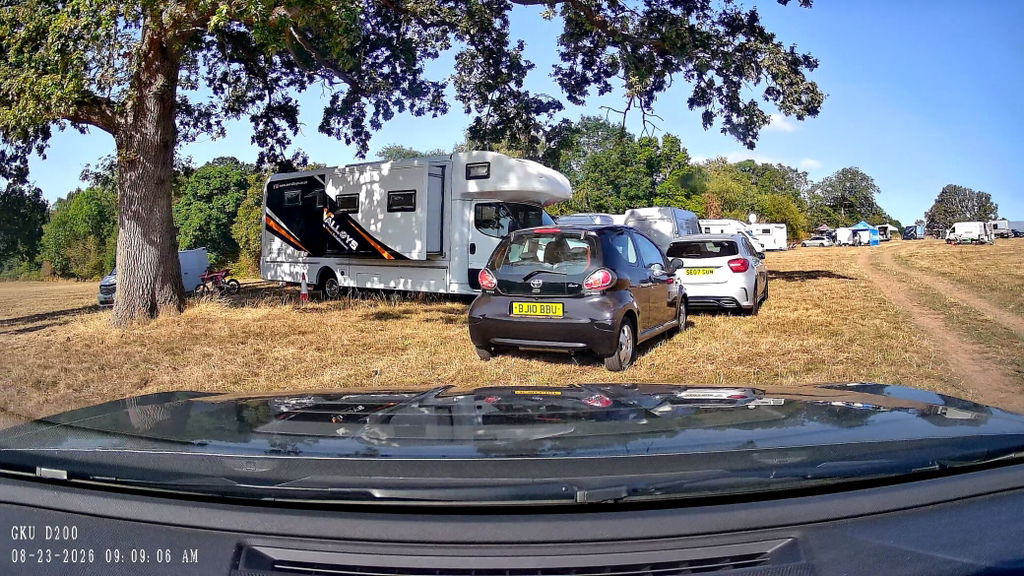
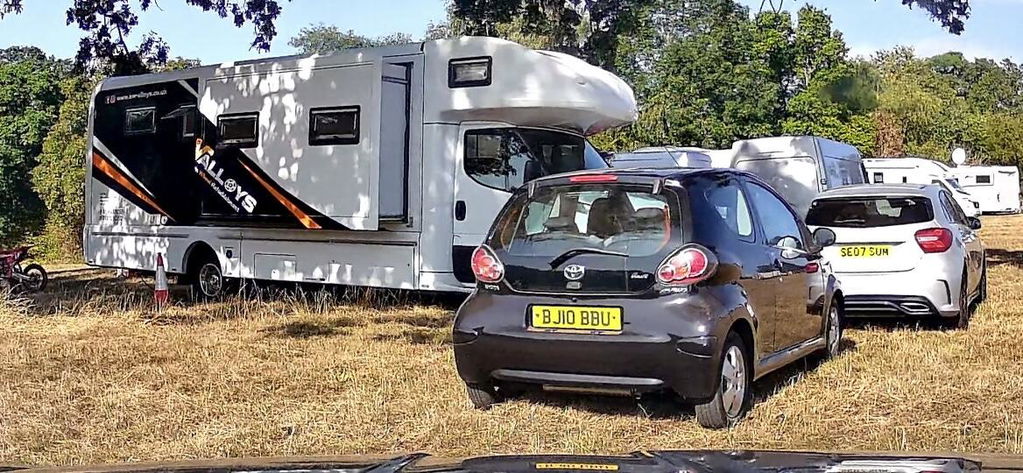
GKU D600 Pro Max Real World Footage at Day
Other useful features include:
- 4K front recording
- 1080P rear recording
- Sony STARVIS 2
- Dual-band 2.4GHz / 5.8GHz Wi-Fi
- Built-in GPS
- Voice control
- Parking monitoring support
- Up to 512GB microSD card support
- GKU GO app connectivity
For a new driver, the combination matters more than any single specification.
You get clear front footage, rear coverage, improved nighttime imaging, GPS context, convenient video access, and parking protection capability in one system.
Who is it best for?
The D600 Pro Max is particularly suitable for:
- First-time car owners
- Students
- Daily commuters
- New drivers who drive at night
- Parents buying a dash cam for a new driver
- Drivers looking for an easy-to-use front and rear system
Best for Front and Rear Detail: GKU E200
Some drivers prioritize image quality from both directions.
In that case, the GKU E200 is worth considering.
Unlike a conventional 4K + 1080P dual-channel setup, the GKU E200 offers 4K recording from both the front and rear cameras.
That can be valuable when you want additional detail from vehicles approaching from behind as well as those ahead.
The E200 also uses Sony STARVIS 2 imaging technology and is designed with nighttime driving performance in mind.
Who is it best for?
Consider the E200 if:
- You want 4K front and rear recording
- Rear-camera detail is especially important
- You frequently drive at night
- You're willing to pay more for stronger dual-camera image quality
For many new drivers, the D600 Pro Max provides the better balance. For drivers prioritizing maximum front-and-rear recording detail, the E200 may be the better fit.
Best for More Complete Coverage: GKU D1000
A two-channel camera records the road ahead and behind.
But some drivers may also want to record the interior of the vehicle.
That's where a 3-channel dash cam becomes useful.
The GKU D1000 adds cabin recording to front and rear coverage, allowing three areas to be recorded.
This configuration can be particularly useful for:
- Rideshare drivers
- Delivery drivers
- Drivers who regularly carry passengers
- Families sharing a vehicle
- Anyone who wants additional cabin coverage
For an ordinary first car, three channels may be more than necessary. But for a new driver who also works with their vehicle, the additional coverage can make sense.
Front-Only vs Front and Rear vs 3-Channel: Which Is Best for a New Driver?
A simple way to decide is to think about coverage rather than camera count.
| Camera Type | Records | Best For |
|---|---|---|
| Front Only | Road ahead | Very limited budgets |
| Front + Rear | Road ahead + behind | Most new drivers |
| 3-Channel | Front + rear + cabin | Rideshare, passengers, maximum coverage |
For most first-time drivers, we recommend front and rear coverage.
It provides meaningful additional protection without adding the complexity and storage requirements of a three-camera system.
How Much Should a New Driver Spend on a Dash Cam?
You don't need to buy the most expensive dash cam available.
Instead, spend your budget on the features that improve everyday usefulness.
We would prioritize them in roughly this order:
1. Reliable recording
2. Front and rear coverage
3. Good nighttime image quality
4. Easy footage access
5. GPS
6. Parking protection
7. Convenience features
Features that sound impressive on a specification sheet are less valuable if the camera is unreliable or difficult to use.
For a first dash cam, balanced performance is more important than maximum specifications.
What Dash Cam Features Can New Drivers Skip?
Not every advanced feature is necessary.
For example, a new driver may not need:
- 3-channel recording if they rarely carry passengers
- 4G/LTE remote monitoring
- Cloud connectivity
- Extremely large displays
- Professional fleet-management features
Those technologies can be valuable for specific users, but they can also increase cost and complexity.
Start with your actual driving needs.
Should Parents Buy a Dash Cam for a New Driver?
A dash cam can be a practical gift for a son or daughter getting their first car.
But its purpose should be clear.
A dash cam works best as a road-recording and vehicle-protection tool, not as a substitute for trust, safe-driving education, or appropriate supervision.
For parents shopping for a new driver's vehicle, we recommend prioritizing:
- Easy operation
- Front and rear recording
- Nighttime performance
- GPS
- Reliable storage
- Parking protection
- Easy access to important footage
A complicated camera that a new driver doesn't understand or use properly provides little benefit.
How to Install a Dash Cam in a New Driver's Car
Installation varies by model, but a typical front and rear dash cam setup follows these steps:
- Mount the front camera near the rear-view mirror without obstructing the driver's view.
- Route the power cable neatly along the windshield and interior trim.
- Install the rear camera on the rear windshield.
- Connect the rear camera cable to the front unit.
- Insert and format a compatible microSD card.
- Adjust the camera angle.
- Connect the smartphone app if supported.
- Check both front and rear footage before driving.
If you want extended parking monitoring, installation may also involve connecting a compatible hardwire kit to the vehicle's electrical system.
If you are unfamiliar with automotive wiring, professional installation is a sensible option.
Is a Dash Cam Worth It for a New Driver?
For many drivers, yes.
A dash cam cannot stop another vehicle from hitting you, and it cannot guarantee that every important detail will always be captured.
What it can provide is an additional record of your time on the road.
For new drivers in particular, that can mean:
more evidence, more context, and less uncertainty when something unexpected happens.
And because modern dash cams can combine front and rear recording, night imaging, GPS, parking monitoring, and smartphone connectivity, one device can provide protection across several common driving situations.
Final Verdict: What Is the Best Dash Cam for a New Driver?
The best dash cam for a new driver isn't necessarily the camera with the longest specification list.
It is the one that reliably captures useful footage without making everyday driving more complicated.
For most new drivers, we recommend looking for:
- Front and rear recording
- 4K front video
- Strong nighttime image quality
- GPS
- Wi-Fi and easy video access
- Loop recording
- Reliable storage
- Parking monitoring support
- Simple installation and operation
For those priorities, the GKU D600 Pro Max is our best overall GKU option for new drivers because it combines 4K front recording, rear coverage, Sony STARVIS 2 imaging, GPS, dual-band Wi-Fi, voice control, and parking protection support in a practical dual-camera system.
Drivers who want higher-resolution rear recording should consider the GKU E200, while those who need cabin coverage can step up to a 3-channel model such as the GKU D1000.
The goal isn't to put more technology in a new driver's car.
It's to choose technology that is actually useful when it matters.
Frequently Asked Questions
1. What is the best dash cam for a new driver?
For most new drivers, a front and rear dash cam with clear video, good nighttime performance, GPS, Wi-Fi, loop recording, and parking monitoring support offers the best balance of protection and usability.
2. Do new drivers need a front and rear dash cam?
A front-only camera can record incidents ahead of the vehicle, but a front and rear dash cam provides broader coverage. For most new drivers, dual-channel recording is worth considering because incidents can happen from either direction.
3. Is 4K worth it for a new driver's dash cam?
4K can provide more detail when reviewing footage, but resolution should not be considered alone. Sensor quality, image processing, lighting, motion, exposure, and compression also affect real-world image quality.
4. Is GPS important on a dash cam?
GPS can add useful context to video by recording information such as route, location, and speed, depending on the dash cam and playback software.
5. Does a new driver need parking mode?
Parking monitoring is useful if the vehicle is regularly left in public parking lots, on the street, at school, or in other shared parking areas. Some parking modes require a compatible hardwire kit.
6. What size memory card should a new driver use?
This depends on the dash cam's supported capacity and recording configuration. High-resolution multi-channel cameras generate large files, so a higher-capacity, high-endurance microSD card can provide more recording time before older normal footage is overwritten.
7. Is a dash cam a good gift for a new driver?
Yes. A reliable dash cam can be a practical first-car accessory, especially when it offers front and rear recording, easy operation, night imaging, GPS, and parking protection.
Related Articles:

Evelyn Ye
Evelyn — Dash Cam Product Development & Market Research Specialist at GKU Evelyn focuses on dash cam product development and market research at GKU, studying automotive imaging technologies, driver needs, market trends, and competitive products. Her work helps connect technologies such as 4K video, Sony STARVIS 2, night imaging, multi-channel recording, and smart connectivity with practical, real-world driving needs.
0件のコメント